QR powered site management
QR forms that keep field work connected.
Put a QR code where work happens. Your team scans to open the right form, submits from a phone, and your records stay connected to the place or equipment they describe.
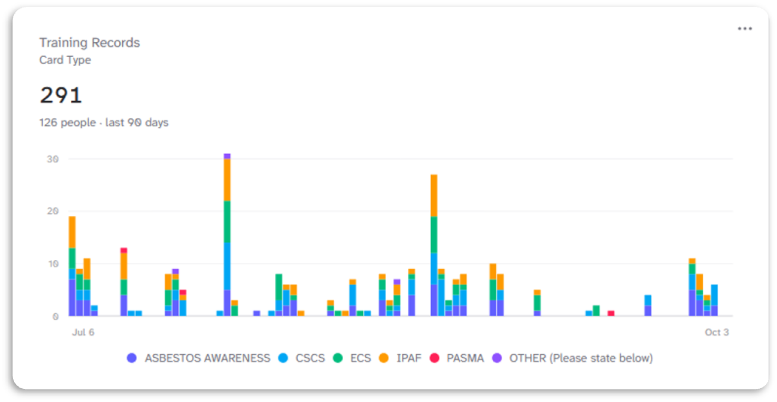
Example: training records over time
From scan to record.
A simple way to bring field forms and the records behind them together.
Connect a place
Create a record for a site, area, asset or person, then connect the forms and information the team needs there.
Capture the work
Scan its QR code and complete the right inspection, induction or checklist from a phone browser. Public forms do not require a team account.
Keep a clear record
Review submissions with their related records, verify responses and export submission data as CSV.
The essentials, together.
The practical tools to collect field information and keep it organised with your team.
QR codes for places and assets
Give every location, asset or person a unique QR link. Keep forms and information within scanning distance.
Forms for your workflow
Build reusable inspections, inductions and checklists around the way your team works.
Records you can review
Verify responses, follow their history and export verified records as CSV.
Clear team permissions
Invite colleagues and manage access to your team, items and submissions.
Connected site information
Link sites, areas, people and equipment. Keep every form attached to the thing it describes.
Simple mobile access
Open public records and complete attached forms from a phone browser, without a team account.
Simple, transparent pricing
Choose a plan that gives your team room to grow.
All prices are exclusive of any applicable taxes. VAT or sales tax is not currently charged.
Start with one workflow.
Create a form, connect it to a place or piece of equipment, and try the QR flow with your team. See use cases for construction, facilities and cleaning teams.