How-to | Collect User Data on a Form
MrQR
To help you comply with Data protection rules users are asked to agree if their personal information can be shared with your Team.
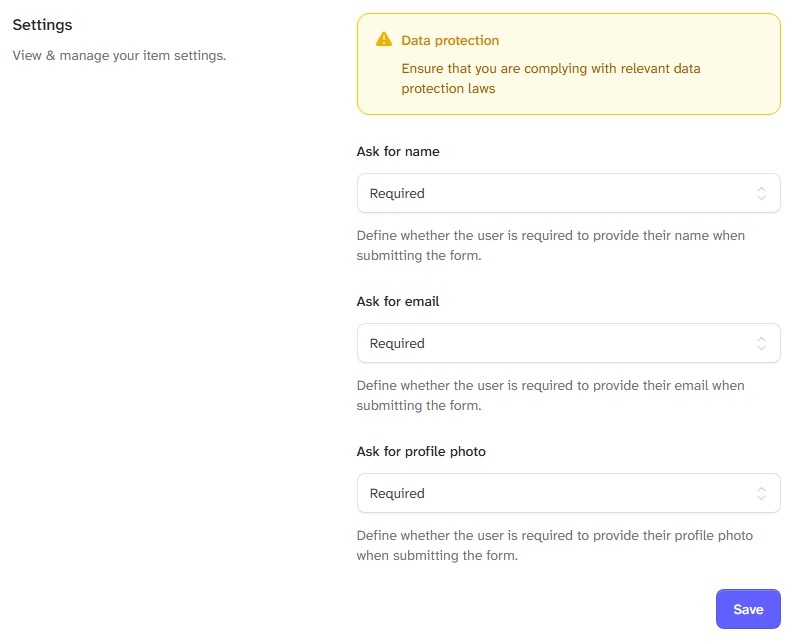
Once a Form is Assigned to a Item you can select what User Data you require when a User submits the Form,
the Choices are Not Required, Required and Optional
Their Name
Their Registered email Address
Their User Profile Photo
Navigate to the required Item, select Forms from either the top menu bar or the ... Menu selection for the item.
Select the required Form to open the Submissions Page, Select Settings on the top menu bar.
Or
Select Settings on the selected Form ... Menu