How do I change notification settings for an Item?
MrQR

Navigate to your Item and select Settings
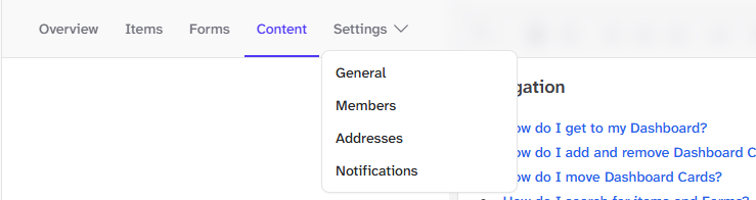
Or select the Items . . . Menu
Select Notifications
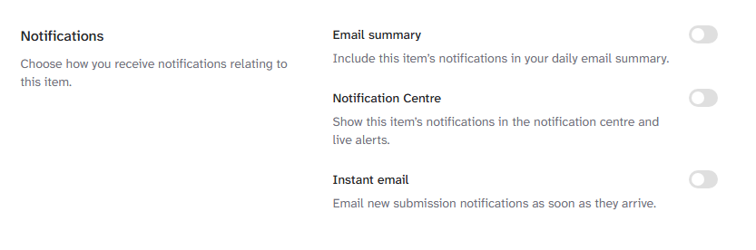
Choose how you receive notifications relating to the item.
Email summary: Include this item’s notifications in your daily email summary.
Notification Centre: Show this item’s notifications in the notification centre and live alerts.
Instant email: Email new submission notifications as soon as they arrive.
Instant emails are only available to Paid subscriptions