How do I view the forms submitted by others?
MrQR

You can view all the forms you have previously submitted form any item on your team
You must be logged in.

Navigate to your Dashboard and select Submissions, and then Team
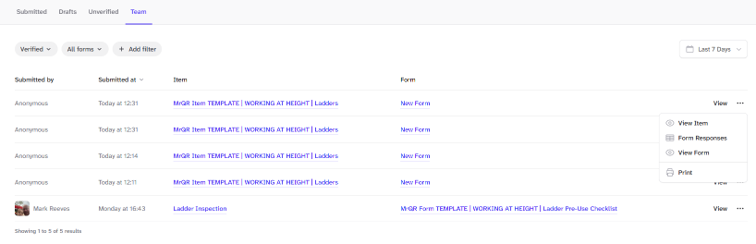
Select
View to view the submission
. . . and then View Item to view the item
. . . and then View Submissions to view all the form submissions for the item
. . . and then View Form to view the form
. . . and then Print to print the submission
Sort, filter submissions and select date ranges.