How do I create a New Digital Child Item?
MrQR

To create a New Digital Child Item, navigate to your item and select Items from the top menu panel,

or the item . . . menu
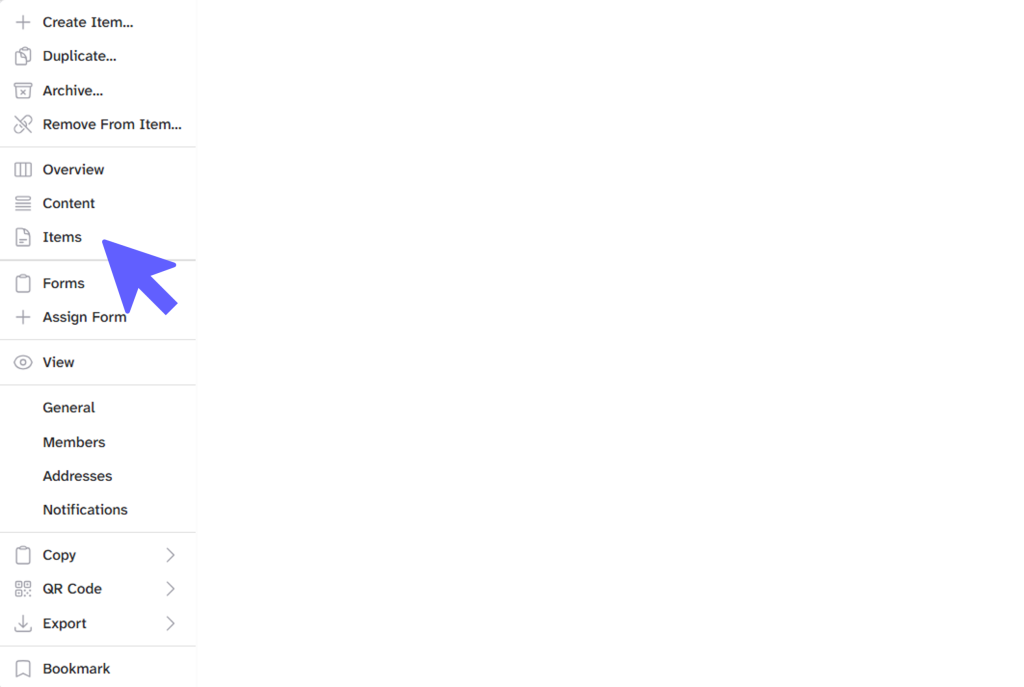
You can now add child items to the parent item.
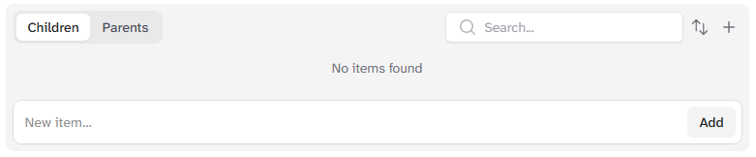
To open the Add Item popup, select +
To quickly populate a list of items to edit later, enter the new item's name in the New item... box and select [Add].
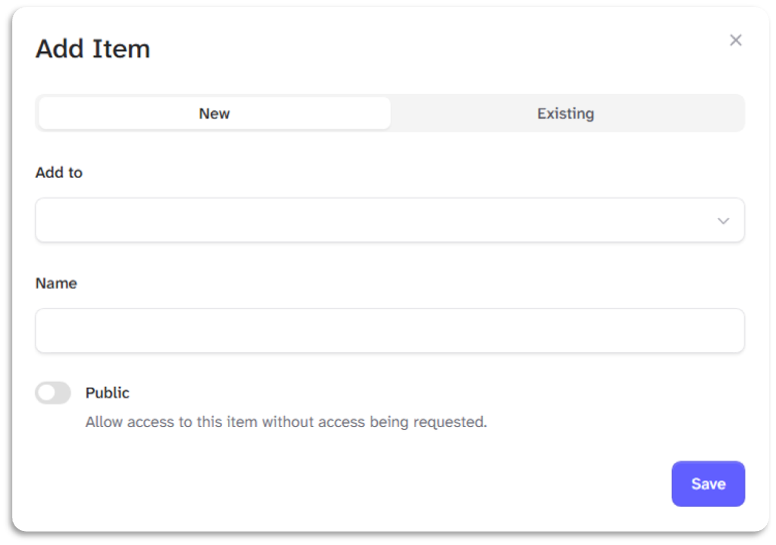
Enter your item's name in the name box.
Select the Public toggle to allow anyone to complete forms you assign to your item.
Select the [Save] Button to create and open your New Item's Overview page.