How do I add training records to my profile?
MrQR

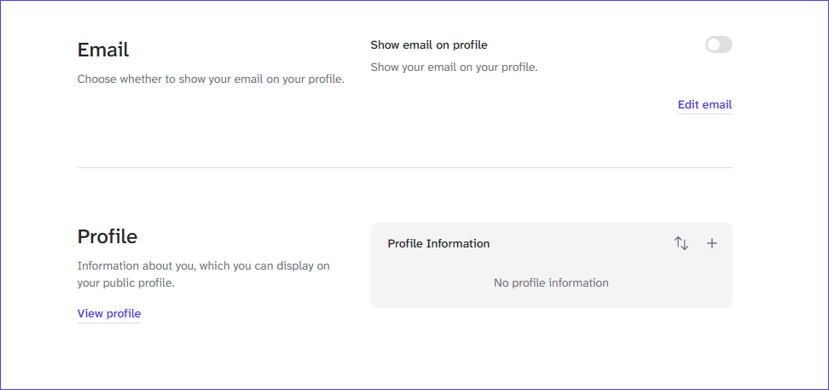
To Edit information in your Profile select User Menu > Profile Settings > Profile
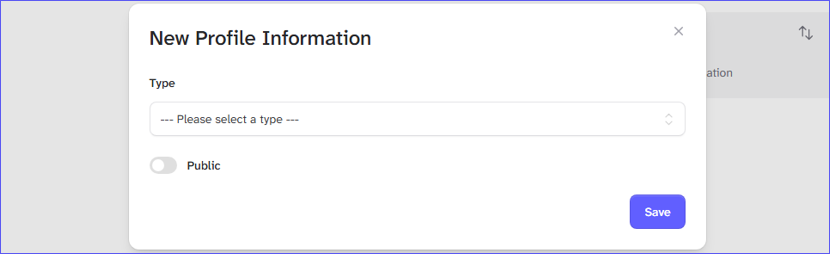
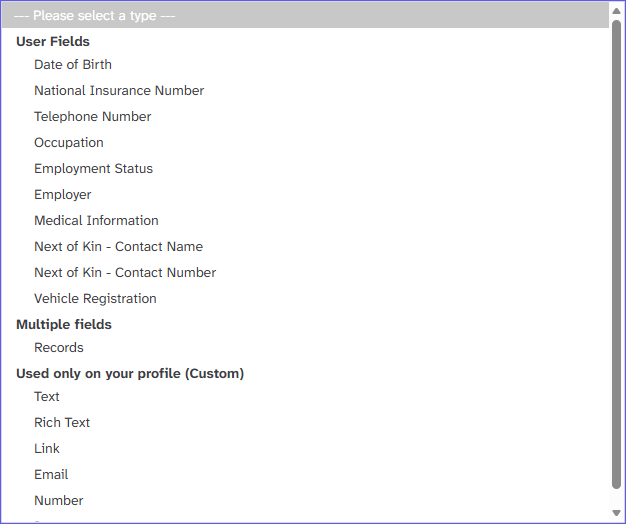
Select Record to add to your profile from the dropdown list.
Add your information. Turn on the Public Toggle to see your information on your profile page, select the [Save] Button.
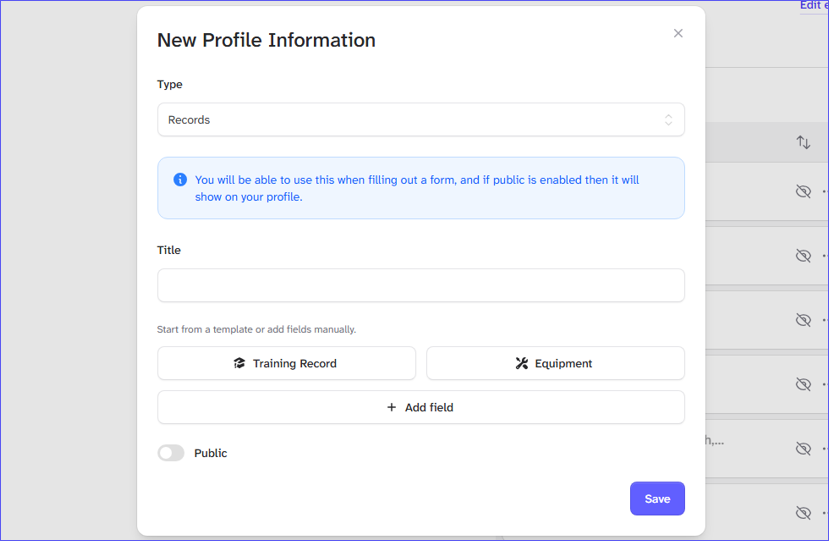
Select Training Record and add your training record information, including Title, Expiry Date and Images.
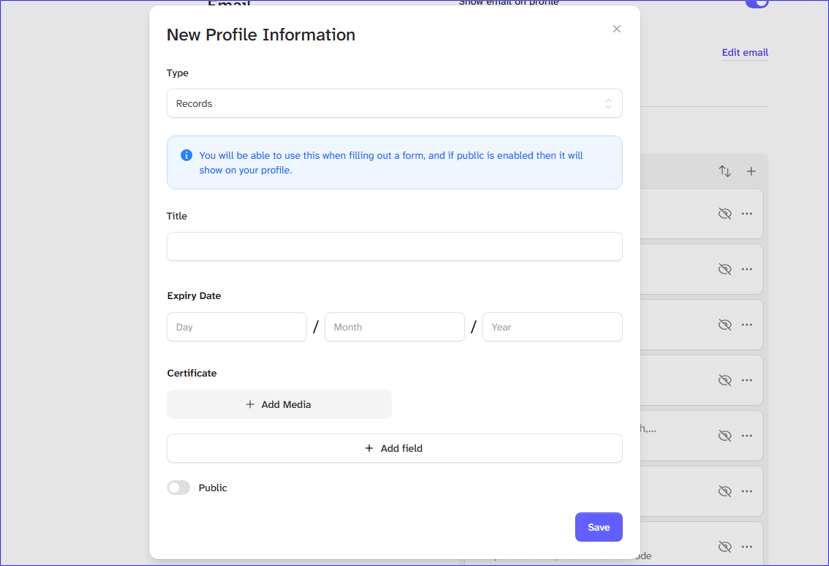
Add your training record information to your Profile here and select + > Records > Training Records.