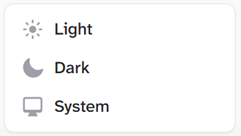
User Menu
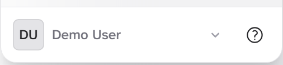
This is always in the bottom left corner.
Select this to open your personal User Menu.
The MrQR Information pages and Display Settings are also accessed here.
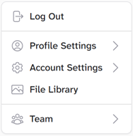
After selecting the User Menu you can.
Logout
Access your Profile Settings
Access your Account Settings
Access your File Library
Access your Team Menu
Logout

Select to Logout
Profile settings menu.
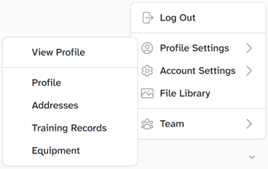
Select Profile Settings to.
View your profile
Add, remove and edit information stored in your profile
Add, remove and edit Addresses
Add, remove and edit your training records
Add, remove and edit your equipment records
Account settings menu.
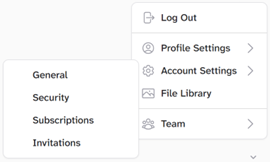
See Account Settings Section too.
View, edit your General information including.
Profile Photo.
Name.
Email address.
View, and edit your Security settings and Password.
View, Add, remove and edit your team Subscriptions.
View, Accept, or decline Invitations to help manage other MrQR teams.
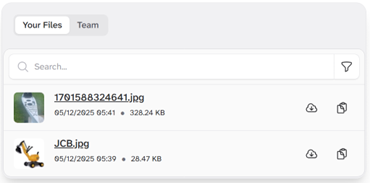
File Library.

Select File Library to access Your Files and any file associated and shared within to your Team.
Team menu.
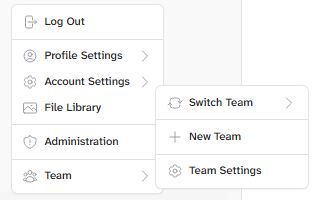
See the Teams Section too.
Switch Teams
Create a New Team
Team Settings
Information

Select this to open the Information Menu.
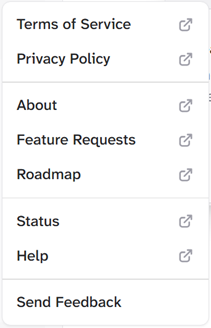
Select the information menu to access MrQR’s Terms of Service, Privacy Policy and About pages,
You can also, Request features, View our roadmap, system status pages and user guides.
If you just want to send us a message by selecting Send Feedback.
Display

You can change your screen settings from Light to dark or match your devices system settings