How do I add Menus to my Items Web Page?
MrQR

To add Menus to your Items Web Page, navigate to your Item and select Content then + Add Content
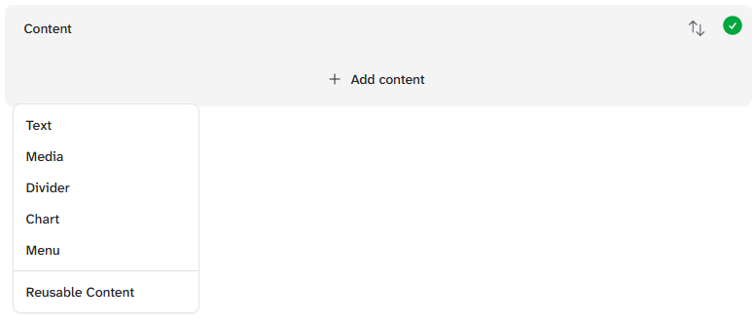
and select Menu

Select + Add link
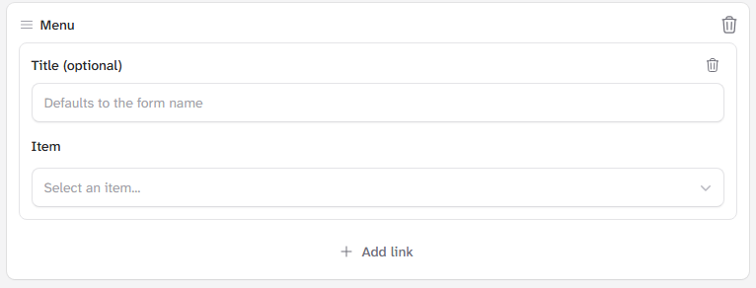
You can add a user-friendly name for your link.
Select your item, and if your item has forms assigned, you can also select one.
You can add multiple links.
Item links opens the Item Web Page.
Form Links open the form for submitting.
How to Guides
Sample with form (Safe Isolation)